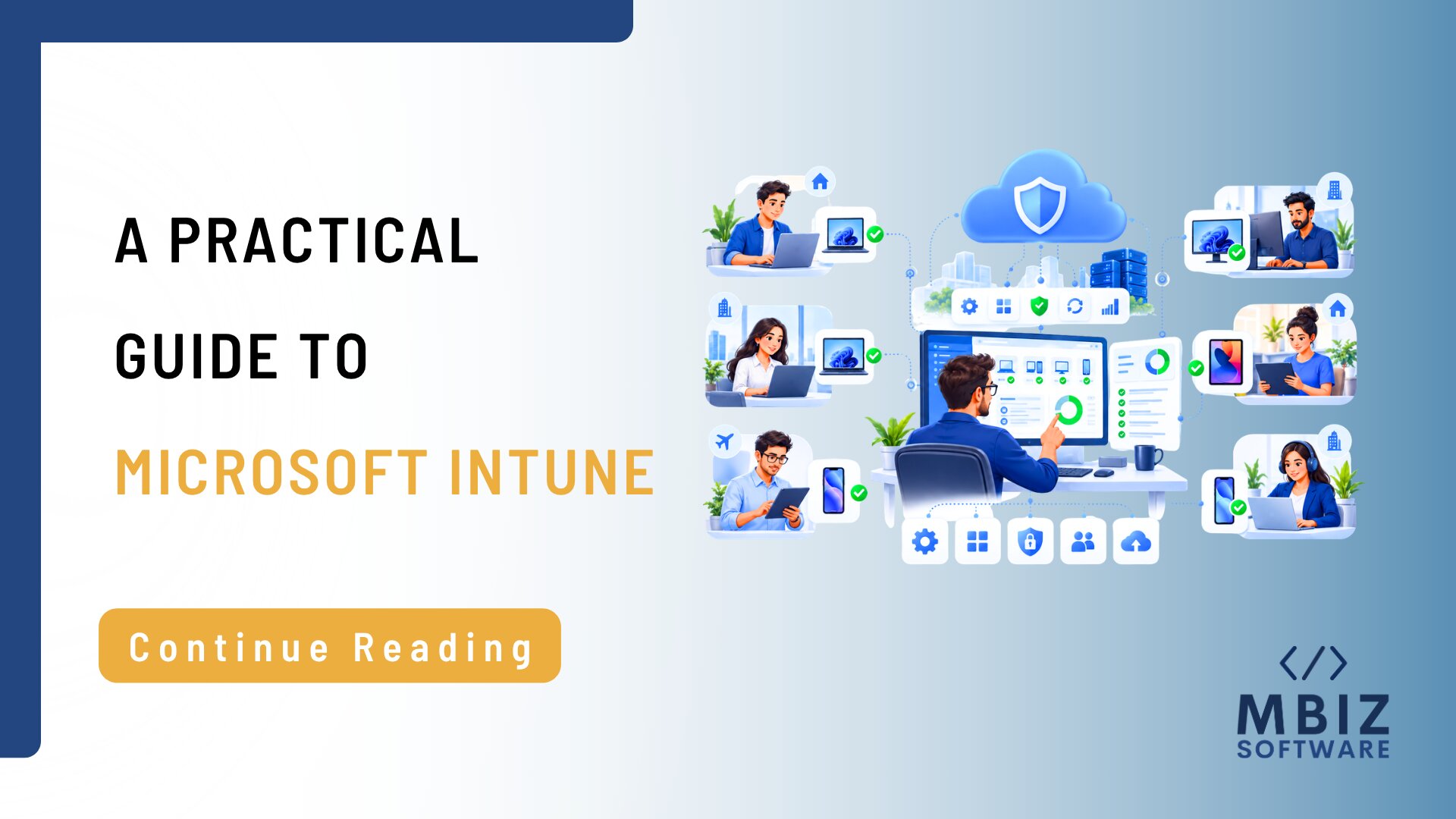
Modern businesses rely on laptops, desktops, mobile devices, cloud applications, and remote employees to keep operations running. As the number of devices grows, managing every endpoint manually becomes increasingly difficult. IT teams need a reliable way to configure devices, deploy applications, enforce policies, support remote users, and maintain security. This is where Microsoft Intune can play an important role in a modern IT operations strategy.
Microsoft describes Intune as a cloud-based endpoint management service that helps organizations manage and secure devices and applications, including enrollment, configuration, security, application deployment, updates, and access controls.
What Is Microsoft Intune?
Microsoft Intune is a cloud-based endpoint management service.
In simple terms, it gives organizations a centralized way to manage supported devices and applications.
Instead of configuring every device individually, IT teams can define policies and management settings that apply across managed endpoints.
Microsoft currently lists support for platforms including Windows, macOS, iOS/iPadOS, Android, Linux, tvOS, and visionOS.
Why Does Endpoint Management Matter?
Endpoint management becomes increasingly important as businesses grow.
A company may have:
- Employee laptops
- Desktop computers
- Mobile phones
- Remote employees
- Hybrid employees
- Multiple offices
- Business applications
- Cloud services
- Corporate data stored across different devices
Without centralized management, IT teams may spend a significant amount of time handling devices individually.
Common challenges include:
- Inconsistent device configurations
- Difficult software deployment
- Manual updates
- Limited visibility
- Remote support challenges
- Compliance issues
- Increased security risk
A centralized endpoint management approach can help create greater consistency across the organization.
What Can Microsoft Intune Do?
• Device Enrollment and Management
Intune helps organizations enroll supported devices and manage them centrally.
This creates a more structured process for bringing devices under organizational management.
Businesses can define settings and policies that apply to managed devices.
This reduces the need for manual configuration and makes it easier to maintain consistent standards.
Intune supports application deployment and protection, helping organizations manage business applications across their managed environments.
Endpoint management is closely connected to security.
Organizations can establish device and application policies and use compliance information as part of broader access and security controls.
• Updates and Device Lifecycle
Intune can support endpoint management throughout the device lifecycle, from enrollment and configuration to ongoing management and updates.
Microsoft Intune for Remote and Hybrid Work
Remote work has changed the way businesses manage IT.
Employees may work from home, customer locations, branch offices, or other locations, but IT teams still need to manage and support their devices.
Because Intune is cloud-based, organizations can manage supported endpoints centrally without relying entirely on physical access to the devices.
This can be especially useful for organizations with distributed teams.
Microsoft Intune and IT Security
Endpoint management and IT security are closely connected.
An unmanaged or incorrectly configured device can create both operational and security risks.
Intune can support a broader security strategy by helping organizations manage device configurations, application policies, compliance, and access.
Microsoft also positions Intune as part of a Zero Trust security approach.
However, businesses should not view Intune as a replacement for every cybersecurity capability.
Organizations may still need:
- Identity management
- Endpoint protection
- Threat detection
- Security monitoring
- Incident response
- Access controls
- Security policies
Intune should be treated as one part of a broader IT security and operations strategy.
How Microsoft Intune Can Reduce IT Operations Workload
Centralized endpoint management can reduce repetitive IT administration.
Instead of configuring every device manually, IT teams can use centralized policies and management capabilities.
Potential benefits include:
- More consistent device configurations
- Centralized endpoint visibility
- Easier application deployment
- More structured device onboarding
- Better support for remote employees
- Improved compliance visibility
- Less manual administration
The goal is not to eliminate IT support.
Rather, it is to allow IT professionals to spend less time on repetitive configuration and more time on incidents, users, infrastructure, strategic projects, and continuous improvement.
Microsoft Intune vs. Traditional Device Management
Traditional device management often relies heavily on manual configuration.
A technician may need to configure individual devices, install applications, apply settings, troubleshoot problems, and perform updates.
With a centralized endpoint management platform such as Intune, supported devices can be managed through policies and cloud-based controls.
However, the right approach depends on your technology environment, existing Microsoft ecosystem, device types, security requirements, and operational processes.
Microsoft Intune and IT Operations Outsourcing
Intune provides the technology layer for centralized endpoint management.
But technology alone does not manage an IT environment.
Businesses still need people and processes to:
- Monitor systems
- Support employees
- Respond to incidents
- Troubleshoot devices
- Manage policies
- Investigate issues
- Escalate complex problems
- Maintain broader IT infrastructure
This is where Microsoft Intune can fit into a wider IT operations outsourcing strategy.
A business can combine endpoint management technology with help desk support, monitoring, infrastructure support, network operations, and incident management.
MBiz’s Operations Center provides capabilities including 24/7 IT monitoring, IT Help Desk Support, Network Operations, Infrastructure Support, and Incident & Escalation Management.
This allows endpoint management to become part of a broader operational model rather than an isolated technology implementation.
How MBiz Can Support Modern IT Operations
Modern endpoint management is only one part of maintaining reliable IT operations.
Businesses also need structured processes for identifying issues, prioritizing incidents, supporting users, monitoring infrastructure, and escalating technical problems.
MBiz provides co-managed and dedicated IT operations models designed to support different business requirements.
For businesses considering Microsoft Intune, the next step is to assess how endpoint management will work alongside user support, monitoring, infrastructure management, security, and incident response.
Frequently Asked Questions
What devices does Microsoft Intune support?
Microsoft lists support for platforms including Windows, macOS, iOS/iPadOS, Android, Linux, tvOS, and visionOS.
Can Intune manage remote employees’ devices?
Yes. Its cloud-based model supports centralized management of enrolled devices without requiring employees to be physically present in an office.
Does Microsoft Intune replace cybersecurity tools?
No. Intune supports endpoint management and security policies, but businesses may still need dedicated security, identity, monitoring, and incident-response capabilities.
Is Microsoft Intune suitable for small businesses?
It can be, depending on the organization’s devices, Microsoft environment, security needs, and management requirements.
Can Intune be part of outsourced IT operations?
Yes. Endpoint management can be combined with outsourced help desk support, monitoring, infrastructure support, and incident management.