
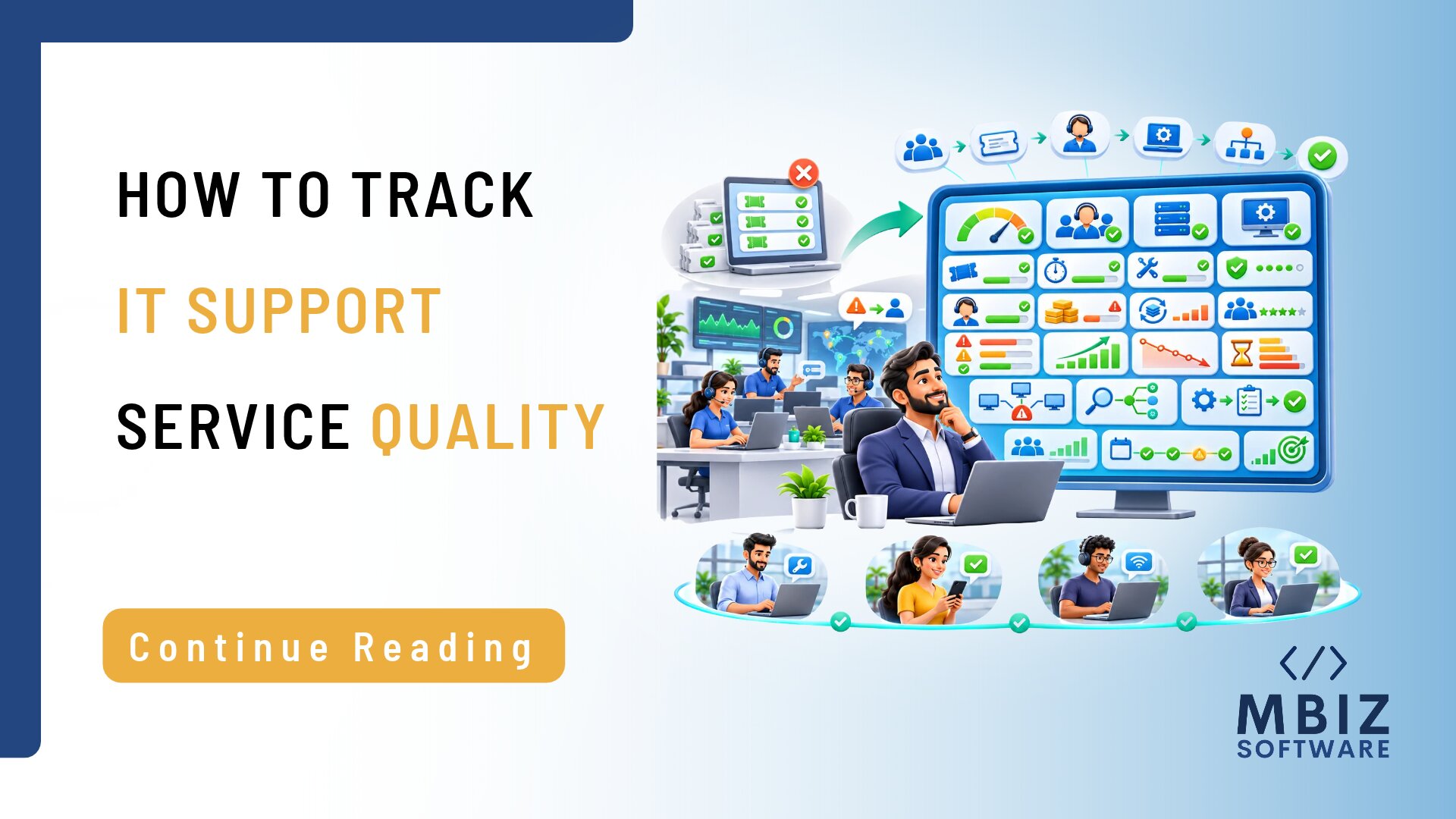
Outsourcing IT support can help businesses access technical expertise and manage day-to-day IT operations without maintaining an entirely in-house support team. However, choosing an external provider is only the beginning. Businesses also need to understand whether the service is delivering the expected results. Measuring outsourced IT support performance involves more than checking how many support tickets have been closed. It requires evaluating response times, issue resolution, service-level agreement (SLA) compliance, user satisfaction, and the impact of IT support on business operations. With clear expectations and regular reporting, businesses can build a more accountable and productive relationship with their IT support provider.
Why Measuring Outsourced IT Support Performance Matters
An outsourced IT support team plays an important role in maintaining the technology employees depend on every day. Without proper performance measurement, businesses may struggle to determine whether their provider is meeting operational requirements.
Visibility Into Service Quality
Performance data helps businesses assess how effectively their IT support teams handle their requirements.
For example, a provider may report that its team closed most support tickets during the month. However, this figure alone does not show how quickly employees received assistance, whether the team resolved complex issues effectively, or whether similar problems continued to occur.
Tracking relevant IT support KPIs gives management a clearer picture of service quality and helps identify areas that require improvement.
Accountability and Service Expectations
Businesses should establish clear responsibilities and measurable expectations with their outsourced IT support provider.
A service-level agreement defines important aspects of the support arrangement, including response expectations, service hours, escalation procedures, and other agreed responsibilities.
Regularly reviewing performance against these expectations helps both parties understand whether the service is meeting the agreed requirements. It also provides a basis for discussing missed targets and corrective actions.
Identifying Recurring IT Problems
Repeated support requests may indicate that an underlying technical problem has not been properly addressed.
For example, if employees frequently report network connectivity problems, resolving each ticket individually may not be enough. The provider should investigate whether the issue is related to network configuration, hardware, infrastructure, or another recurring cause.
Analyzing ticket trends helps businesses distinguish isolated incidents from problems that require a longer-term solution.
Connecting IT Support with Business Continuity
Technology disruptions can affect employee productivity, customer service, and everyday business activities.
Reliable IT support helps employees receive assistance when technical problems occur and supports the restoration of affected services.
Measuring performance helps businesses understand whether support arrangements are appropriate for their operational requirements and whether recurring disruptions are being addressed.
7 Key Metrics for Measuring an Outsourced IT Support Team
A useful performance review should consider several metrics rather than relying on a single measurement. The following seven indicators can help businesses evaluate their outsourced IT support arrangements.
1. First Response Time
First response time measures how long it takes the IT support provider to acknowledge or respond to a support request after it is submitted.
For example, an employee may report that they cannot access an important business application. The provider’s first response may confirm that the issue has been received and is being investigated.
It is important to distinguish acknowledgement from resolution. A quick initial response does not necessarily mean that the underlying problem has been fixed.
2. Average Resolution Time
Average resolution time measures how long the provider takes to resolve reported issues.
This metric helps businesses understand how efficiently technical problems are being handled. However, resolution time should be interpreted in the context of issue severity and complexity.
A simple password-related request may be resolved quickly, while a major infrastructure problem could require investigation and coordination with other technical teams.
Businesses should avoid comparing all incidents using the same expectations.
3. SLA Compliance Rate
SLA compliance measures how consistently the provider meets the response and resolution targets agreed in the service-level agreement.
For example, a business may establish different response expectations for critical incidents and routine service requests.
Reviewing SLA compliance helps identify whether the provider is meeting contractual expectations and where delays may be occurring.
4. First-Contact Resolution Rate
First-contact resolution measures the proportion of support requests resolved during the initial interaction without requiring additional follow-up or escalation.
A higher rate may indicate that the support team can effectively diagnose and resolve common problems.
However, not every issue can reasonably be resolved immediately. Complex incidents may require additional investigation, specialist involvement, or external assistance.
This metric should therefore be considered alongside issue complexity and resolution quality.
5. Ticket Backlog and Ageing
The ticket backlog represents the number of unresolved support requests at a particular time.
Ticket ageing shows how long those requests have remained open.
A growing backlog may indicate insufficient support capacity, inefficient processes, or unresolved technical problems.
Businesses should pay particular attention to older tickets and those affecting important business activities rather than reviewing the total number alone.
6. Recurring Incident Rate
The recurring incident rate measures how frequently similar technical problems are reported over a period.
For example, repeated application crashes or network interruptions may suggest that the underlying cause has not been properly addressed.
Monitoring recurring incidents helps businesses assess whether their IT support provider is focusing only on immediate fixes or also investigating root causes and preventative improvements.
7. User Satisfaction
Technical performance is important, but employees’ experiences also matter.
Short feedback surveys after support interactions can help businesses understand whether employees received timely assistance, clear communication, and satisfactory solutions.
User satisfaction provides additional context to technical metrics. A provider may meet response targets but still receive negative feedback if employees find communication unclear or the support process difficult to follow.
Summary of Important IT Support Performance Metrics
| Metric | What It Measures | Why It Matters |
| First response time | Time taken to acknowledge or respond to a request | Shows how quickly employees receive an initial response |
| Average resolution time | Time taken to resolve reported issues | Helps evaluate the efficiency of issue resolution |
| SLA compliance rate | Performance against agreed service targets | Measures whether contractual expectations are being met |
| First-contact resolution | Issues resolved during the initial interaction | Indicates the ability to resolve common problems efficiently |
| Ticket backlog and ageing | Number of open tickets and how long they remain unresolved | Highlights outstanding work and potential delays |
| Recurring incident rate | Frequency of repeated technical problems | Helps identify unresolved root causes |
| User satisfaction | Employee feedback about support interactions | Provides insight into the quality of the support experience |
How to Set Realistic IT Support Performance Targets
Tracking performance is useful only when businesses understand what results they expect. Targets should reflect operational requirements rather than arbitrary industry figures.
Classify Incidents by Priority and Business Impact
Not all IT problems have the same level of urgency.
A complete system outage affecting several departments is significantly different from a routine request to install approved software.
Businesses should establish incident categories based on urgency, the number of users affected, and the potential impact on operations.
For example:
- Critical: Major system or service disruption affecting essential business operations.
- High: Significant technical issue affecting a department or important business function.
- Medium: Issue affecting an individual or a non-critical service.
- Low: Routine requests and minor technical assistance.
This classification helps the provider prioritize work appropriately and ensures that performance targets reflect business impact.
Agree on Measurable Service-Level Targets
Businesses should discuss and document measurable expectations with their provider.
An SLA should clearly explain:
- Expected response and resolution arrangements.
- Support availability and service hours.
- Incident priorities and escalation procedures.
- Responsibilities of the provider and the client.
- Exclusions and dependencies that may affect service delivery.
- Reporting and performance review arrangements.
These expectations should be realistic and aligned with the agreed support scope.
Establish a Baseline Before Setting Improvement Goals
Before introducing new performance targets, review historical support data where available.
Analyze ticket volumes, response times, resolution times, recurring problems, and outstanding issues.
This provides a baseline that helps businesses understand current performance and identify realistic improvement opportunities.
For example, if a particular category of technical issue consistently takes longer to resolve, the business and provider can investigate the reasons before agreeing on an improvement plan.
Avoid applying universal target figures without considering the business’s systems, operational priorities, and provider contract.
What Should an Outsourced IT Support Report Include?
Regular reporting helps businesses understand how their IT support provider is performing and whether agreed expectations are being met.
A useful monthly report should include more than a list of completed tickets.
Monthly Ticket Volume and Issue Categories
The report should show the total number of support requests received during the reporting period.
Tickets should also be grouped into relevant categories, such as:
- Network and connectivity problems.
- Software and application issues.
- Hardware-related incidents.
- User access and account requests.
- Security-related support requests.
- General technical assistance.
This information helps businesses identify the main sources of support demand and recognise recurring problem areas.
Response, Resolution and SLA Performance
Reports should compare actual response and resolution results against agreed targets.
For example, the provider can show how many incidents met the required response expectations and highlight cases where targets were missed.
This makes it easier to identify performance gaps and discuss whether improvements are required.
Outstanding Issues and Recurring Incidents
Clearly identify unresolved tickets by their priority, current status, age, and next required action.
Also highlight recurring problems and outline the root-cause investigations and preventive measures the team is implementing.
This gives management visibility into issues that may continue to affect business operations.
Recommendations and Next Steps
A good IT support report should explain what needs to happen next.
Recommendations should include specific actions, responsible owners, and expected follow-up dates.
For example, if the team identifies recurring connectivity issues, the report may recommend assessing the network and assigning someone to arrange the investigation.
Example: Monthly IT Support Performance Report
The following is a sample reporting format. Actual targets and results should be based on the service agreement and recorded performance data.
| Metric | Target | Actual Result | Trend | Action Required |
| First response time | Agreed SLA target | Actual recorded result | Improving / Stable / Declining | Review delayed responses |
| Average resolution time | Agreed SLA target | Actual recorded result | Improving / Stable / Declining | Investigate longer-running tickets |
| SLA compliance | Agreed compliance target | Actual compliance rate | Improving / Stable / Declining | Review missed targets |
| Ticket backlog | Agreed backlog expectation | Number of open tickets | Improving / Stable / Declining | Prioritise ageing tickets |
| Recurring incidents | Reduction goal where agreed | Number of repeated incidents | Improving / Stable / Declining | Investigate root causes |
| User satisfaction | Agreed satisfaction target | Survey result | Improving / Stable / Declining | Review employee feedback |
Common Mistakes When Evaluating IT Support Performance
Even when businesses receive regular performance reports, certain evaluation mistakes can prevent them from understanding the actual quality of the service.
Focusing Only on Ticket Volume
Closing a large number of tickets does not automatically mean that support quality has improved.
A provider may close many simple requests while more complex business-critical issues remain unresolved.
Businesses should evaluate ticket volume alongside resolution quality, response times, recurring incidents, and user feedback.
Ignoring Issue Severity
Overall averages can hide delays affecting important systems.
For example, average resolution time may appear satisfactory even though a critical outage remained unresolved for an extended period.
Businesses should therefore evaluate performance based on incident priority and its impact on operations.
Treating Every Ticket as Equally Important
Businesses should not treat a routine access request with the same urgency as an issue that prevents employees from accessing an essential business application.
Businesses should use clearly defined priority categories and assess results according to the operational impact of each incident.
Reviewing Reports Without Taking Action
Performance reports offer little value if businesses do not address the problems they identify.
When a report highlights missed targets, recurring incidents, or increasing ticket backlogs, the business and provider should agree on corrective actions.
Each action should have a responsible owner and a follow-up date.
How to Conduct a Monthly Review with Your IT Support Provider
A structured monthly review can help businesses maintain transparency and improve their outsourcing relationship.
Follow these five steps:
1. Review the Previous Month’s Performance Report
Start by examining ticket volumes, response times, resolution performance, SLA compliance, and user feedback.
2. Identify Missed Targets and Recurring Incidents
Highlight areas where the team missed agreed targets and identify recurring technical issues.
3. Discuss Business-Impacting Issues
Review incidents that affected employee productivity, important systems, customer service, or normal business operations.
4. Agree on Corrective Actions and Owners
Identify areas for improvement, assign responsibility, and set deadlines for completing each action.
5. Review Progress at the Next Meeting
At the next review, verify whether the team has completed the agreed actions and achieved the expected improvements.
These meetings should encourage transparency and continuous improvement rather than focus solely on assigning blame. Both the business and provider should contribute to resolving problems and improving service delivery.
Looking for More Accountable IT Support for Your Business?
Choosing an outsourced IT support provider is an important business decision. However, maintaining a successful outsourcing relationship also requires clear expectations, service visibility, and regular performance reviews.
At MBiz Software, we understand the importance of aligning IT support arrangements with business requirements. If your organization is reviewing its current support model or exploring IT outsourcing, discuss your requirements with our team.
Let’s explore how a structured approach to IT support can help your business manage technical operations more effectively.
Discuss Your IT Support Requirements
Final Thoughts on Measuring Outsourced IT Support Performance
Measuring the effectiveness of an external IT support team requires a combination of technical performance metrics, service-level agreement compliance, employee feedback, and regular corrective actions.
First response time, average resolution time, ticket backlog, and recurring incident rates provide useful insights into service delivery. However, businesses should always consider these figures alongside the severity of incidents and the impact technical problems have on their operations.
The right performance measures depend on the business’s systems, support scope and priorities. By establishing realistic expectations, reviewing transparent reports and conducting regular service meetings, businesses can build a more accountable relationship with their outsourced IT support provider.
Ultimately, businesses should measure effective IT support by more than just the number of tickets their teams close. Businesses should evaluate it based on how well the service supports employees, resolves technical problems, and improves overall business operations.
Frequently Asked Questions
1. How Do You Measure Outsourced IT Support Performance?
Businesses can measure outsourced IT support performance using several indicators, including first response time, average resolution time, SLA compliance, first-contact resolution, ticket backlog, recurring incident rates, and user satisfaction. They should compare these results against agreed service expectations and review them regularly.
2. What KPIs Should an IT Support Provider Report?
An IT support provider should report relevant KPIs such as response times, resolution times, SLA compliance, ticket volumes, outstanding tickets, recurring incidents, and user satisfaction. The exact KPIs should reflect the business’s operational requirements and the agreed support scope.
3. What Is a Good First Response Time for IT Support?
A suitable first response time depends on the urgency of the issue, its business impact, and the service agreement. Critical incidents generally require faster attention than routine requests. Businesses should agree on priority-based response expectations with their provider rather than rely on a single target for every request.
4. What Is the Difference Between Response Time and Resolution Time?
Response time measures how long it takes the support provider to acknowledge or initially respond to a reported issue. Resolution time measures how long it takes to resolve that issue. A provider may respond quickly but still require additional time to investigate and fix the underlying problem.
5. How Often Should Businesses Review Outsourced IT Support Performance?
Monthly reviews are a practical approach for many businesses. They provide an opportunity to evaluate service reports, discuss missed targets, identify recurring incidents, and agree on improvement actions. Critical incidents may also require separate reviews when necessary.
6. What Should Be Included in an IT Support SLA?
An IT support SLA should clearly define service scope, responsibilities, support hours, incident priorities, response and resolution expectations, escalation procedures, exclusions, and reporting arrangements. It should also explain how performance will be measured and reviewed.